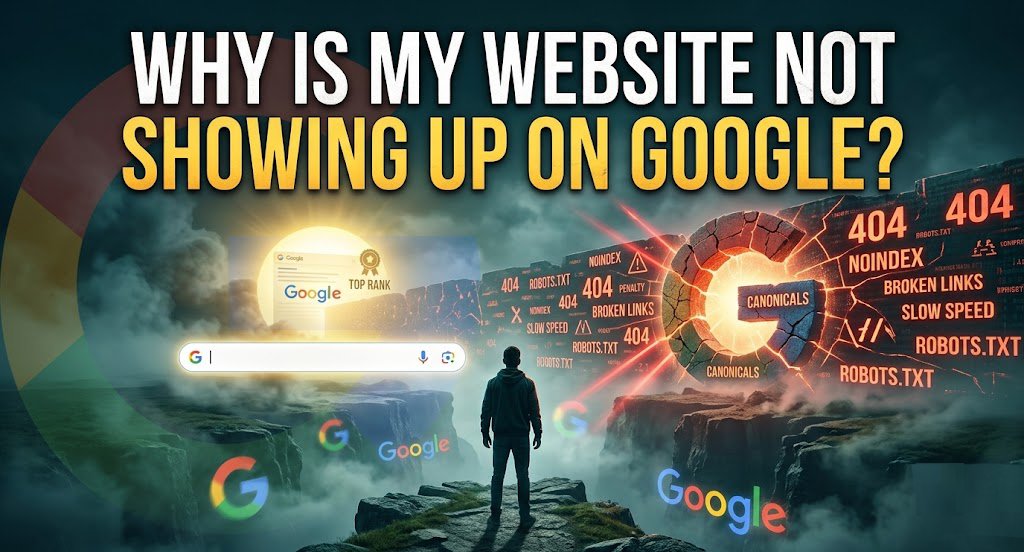
If you are sitting there wondering why is my website not showing up on Google, do not panic. Your site is not broken, and you do not need to be a coding genius to fix this. Think of Google like a giant public library. For your site to show up, Google first has to discover your building, read what is inside your books, save them on the shelves, and decide your book is helpful enough to hand to a reader. If any single step in that chain fails, your site stays invisible.
Let us break down exactly why this happens in simple terms and how you can fix it step by step.
1. Your Website Hasn’t Been Indexed Yet
Indexing simply means Google has saved your web pages in its digital memory bank. If Google has not added your pages to this collection, your site cannot show up in search results under any keyword. Google must first find your web address, look at your content, and decide it belongs in its library.
How to Check If Google Has Indexed Your Site
You do not need fancy tools to check if Google knows your site exists. Open Google in your browser and type site with colon, like site:yourdomain.com.
If Google shows a list of your pages, your site is indexed. If the page says your search did not match any documents, Google has not added your site to its collection yet. You can also log into Google Search Console and check the Page Indexing report for an exact list of saved pages.
How to Request Indexing
If Google missed your pages, you can ask it to take a look right now. Log into Google Search Console and paste your page link into the top search bar.
If the tool says the page is not on Google, click the button that says Request Indexing. This puts your page in a priority queue for Google to visit. Also, make sure you submit an XML sitemap, which acts like a simple map guiding Google to all your important pages.
2. Google Can’t Crawl Your Website
Before Google can save your pages, it needs to crawl them. Crawling is just a fancy word for automated Google computer programs visiting your site, reading your text, and clicking on your links. If your web host or site settings block these automated visitors, Google cannot read your pages.
Common Crawl Errors
Crawl errors usually mean Google tried to visit your site but got turned away at the door. Server errors happen when your web host crashes or gets overwhelmed, sending back a 500 error code.
URL errors happen when Google tries to visit a page that no longer exists, leading to a 404 Not Found error, or gets stuck in a loop where one page keeps sending it to another.
How to Fix Crawl Issues
To fix crawl issues, start by checking your web hosting plan. Make sure your server is fast enough and stays online reliably without crashing.
If you have dead links that lead to 404 error pages, fix them by pointing those broken links toward live, helpful pages on your site. Clean up unnecessary redirects so Google can reach your main content in one simple step.
3. Your Robots.txt File Is Blocking Google
A robots.txt file is a small text document sitting on your website server. It acts like a note on your front door telling web crawlers which rooms they can enter and which rooms are off limits. One wrong setting in this file can tell Google to turn around and ignore your entire website.
How to Identify Blocked Pages
You can read this file yourself by typing your domain name into your browser followed by /robots.txt. Look for lines that look like this:
User agent: *
Disallow: /
That short code tells every search engine on the internet to stay away from your entire site. If you see that line, Google is honoring your instructions and staying away. Google Search Console will also list these under blocked by robots.txt.
When Blocking Pages is Appropriate
Blocking is correct for admin panels, internal search results, staging sites, and duplicate parameter pages that you never want indexed. However, never rely on robots.txt to hide sensitive content; it only suggests, not guarantees, that bots stay away.
The pages can still be indexed if linked from elsewhere. For true privacy, use a noindex meta tag combined with authentication. If your site is missing from Google and you see a broad Disallow rule, remove it immediately and then resubmit your sitemap. Recovery usually takes a few days once the correct robots.txt propagates.
4. Your Pages Have a noindex Tag
Even if Google visits your page and reads it, it will refuse to save it in search results if it sees a noindex tag. This hidden piece of code tells search engines, “You can look at this page, but do not show it to the public.”
How to Find & Remove Accidental NoIndex Tags
Web developers often turn on noindex tags while building a new site so people do not see unfinished work. Sometimes they forget to remove it when the site goes live. Right click on your page, select View Page Source, and search for this text:
<meta name="robots" content="noindex">
If you find it, check your CMS settings. In WordPress, uncheck the search engine visibility box and hit Save. Some SEO plugins like Yoast or Rank Math also have per page toggles; a post set to “No” for indexing will carry the tag. Use Google Search Console’s URL Inspection tool, after fetching the page, under the Indexing section, it tells you if a noindex tag is detected.
If you see “Excluded by ‘noindex’ tag,” you have found the culprit. Remove the tag, ensure the page is not also blocked by robots.txt, and request indexing again. Wait 24 to 48 hours for reprocessing.
5. Your Website Is Too New
Brand new domains have no authority and no history. Google does not instantly trust a site it has never seen. While some pages can be indexed within hours, a fresh website often sits in a sandbox like period where indexing and ranking are deliberately slow. This isn’t a penalty; it’s Google’s way of evaluating whether the site deserves a spot in the index among billions of pages.
How Long Google Takes to Index New Websites
There is no fixed timeline. A new site with a clean sitemap, good internal linking, and some external mentions can be partially indexed within three to five days. However, it’s common for deeper pages to take weeks. If you launch without submitting a sitemap or building any backlinks, the delay can stretch to over a month. Google has to crawl the entire web efficiently, and new sites are low priority until they signal quality.
What You Can Do to Speed It Up
Submit your XML sitemap immediately through Google Search Console. Create social media profiles linking to your site and share your content on those platforms. The goal is to put your URL in front of Googlebot through discoverable paths. Getting a link from an already indexed, reputable website even a legitimate local directory or a relevant blog comment can trigger a rapid crawl.
Use the URL Inspection tool for your homepage and key pages, but don’t overdo it. Publish a few high quality articles early on to show the site is alive and valuable.
Remember! A site that adds fresh content regularly gets crawled more frequently than a static brochure site.
6. Your Content Doesn’t Match What People Search For
Even if your pages are indexed, they will not appear for the keywords you care about if the content fails to satisfy user intent. Google’s algorithms have become adept at understanding what searchers really want whether they seek information, want to buy, or need a specific website. A mismatch between your page’s purpose and the query’s intent means Google will never rank it, no matter how well written the copy.
Understanding Search Intent
Search intent is the real motivation behind why someone types words into Google. Intent usually falls into four simple buckets:
- Informational: The searcher wants to learn how to do something (like “how to fix a leaky faucet”).
- Navigational: The searcher wants to go to a specific website (like “Netflix login”).
- Commercial: The searcher is comparing options before buying (like “best running shoes for flat feet”).
- Transactional: The searcher is ready to pay right now (like “buy green coffee beans online”).
If someone searches for a detailed repair guide and your page only offers a short sales pitch, your content misses the mark.
Creating Content Google Wants to Rank
Go beyond surface level information. Address the pain point completely. If your topic is “how to fix a leaking pipe,” include the tools needed, safety precautions, step-by-step instructions with detailed descriptions, common mistakes, and when to call a professional. Use clear headings, short paragraphs, and real life examples. Original images or diagrams that you created add unique value that Google recognizes.
Avoid thin content of under 300 words for a topic that requires depth. Google’s helpful content system rewards material written by people with first hand experience. Show that experience through practical tips, not generic explanations. After publishing, internally link from other relevant pages on your site to signal topical authority.
7. You’re Targeting Keywords That Are Too Competitive
Keyword targeting is about choosing phrases that match your site’s current strength. If a brand new blog tries to rank for massive, high competition words, older and stronger websites will always win the top spots.
Why New Websites Struggle
Google views a new domain as unproven. Authority accumulates slowly through backlinks, user engagement signals, and consistent quality. Competitive keywords have high “keyword difficulty” because every page on page one has dozens or hundreds of referring domains.
Your fresh site might have none. Even with perfect on-page SEO, the ranking algorithms weigh domain level trust heavily. That doesn’t mean you can’t compete eventually, but it does mean you must start strategically.
How to Choose Realistic Keywords
Instead of targeting short, broad keywords, target longer and more specific phrases called long tail keywords.
| Keyword Style | Real Example | Search Volume | Competition | Easy to Rank? |
| Broad Term | Coffee Maker | Extremely High | Very Tough | Hard for new sites |
| Specific Term | Best Drip Coffee Maker | Medium | Moderate | Takes some time |
| Long Tail Term | Best Small Drip Coffee Maker for RV Camping | Lower | Minimal | Very Easy |
Key Point: Long tail keywords bring in fewer overall searchers, but those searchers know exactly what they want, making it much easier for your new site to rank on page one.
8. Your Website Has Weak SEO
Google uses on page signals like title tags, meta descriptions, heading structure, and internal links to understand a page’s topic and relevance. Pages that lack these elements send confusing signals. Weak SEO does not always prevent indexing, but it often prevents ranking for anything worthwhile. The pages languish on page ten, effectively invisible.
Missing Titles, Meta Descriptions, Headings, & Internal Links
Your page title and main headings tell search engines what your text is about. If your page title is set to default text like “Home” or “New Page,” Google misses important context.
Missing meta descriptions make your search listings look incomplete, so fewer people click them. Leaving pages disconnected without internal links from other pages on your site makes it hard for Google to find them.
Quick On Page SEO Improvements
Make every page’s title tag unique, descriptive, and front loaded with the primary keyword. Keep titles under 60 characters to avoid truncation. Write meta descriptions that include the keyword naturally and give a compelling reason to click. Use exactly one H1 that matches the page’s core topic, then break down sections with H2 and H3 headings that incorporate related terms. Add at least two to three relevant internal links from high authority pages on your site to new or important content, using descriptive anchor text.
Pro Tip: Ensure images have meaningful alt text, not “image123.jpg.” These adjustments are low effort but have an outsized impact on how Google interprets and presents your pages in search results.
9. Your Website Has Technical SEO Problems
Technical SEO problems often fly under the radar because the site looks perfect to a human visitor. But behind the scenes, issues like slow loading speeds, mobile usability errors, broken pages, and duplicate content can prevent Google from indexing or ranking pages properly. These problems degrade user experience, and Google’s algorithm directly measures that experience.
Slow Loading Speed
If a page takes longer than three seconds to become interactive, you lose visitors and search visibility. Core Web Vitals Largest Contentful Paint, Interaction to Next Paint, and Cumulative Layout Shift are direct ranking signals. Heavy images, unoptimized JavaScript, bloated CSS, and slow server response times are the usual culprits.
Use PageSpeed Insights to get a detailed breakdown. Compress images to modern formats like WebP, implement lazy loading, minify code, and consider a content delivery network to serve files from a location closer to the user.
Mobile Usability Issues
More than half of all searches happen on mobile devices. Google uses mobile first indexing, meaning it evaluates the mobile version of your site for ranking. Text that is too small to read, clickable elements too close together, and content wider than the screen trigger mobile usability errors in Google Search Console.
Fix these by using responsive design, a legible font size of at least 16px, and adequate spacing between tap targets. Test your site with the Mobile Friendly Test tool to spot problems instantly.
Broken Pages
404 errors on internal links create a dead end for users and crawlers. They waste crawl budget and send quality signals that your site is poorly maintained. Find broken links using the Crawl Errors report or a crawling tool like Screaming Frog.
Redirect broken URLs that have backlinks to the most relevant existing page using 301 redirects. For unimportant deleted pages, a 410 status code (Gone) tells Google to remove them faster.
Duplicate Content
When the same or very similar content appears on multiple URLs, Google must choose one version to index and rank, potentially splitting authority and confusing the algorithm. Common sources include HTTP and HTTPS versions, www and non www, trailing slashes, session IDs, and printer friendly pages.
Implement canonical tags pointing to the preferred version. Set up 301 redirects from non preferred domains to the canonical domain. Ensure your internal links consistently use one URL format. For parameter based duplicates, use the URL Parameters tool in Search Console if available, or add a canonical tag to the clean version.
10. Google Penalized Your Website
A penalty means Google has manually or algorithmically demoted your site due to violations of its guidelines. Unlike a technical hiccup, a penalty directly suppresses your pages in search results, sometimes removing them completely. These can happen without any warning, and the effects are devastating.
Manual Actions
A manual action is issued by a human reviewer at Google when they detect practices like unnatural backlinks, thin content with little added value, cloaking, or structured data spam. You will see a notification in Google Search Console under Security & Manual Actions.
The message specifies the issue and affected pages. To recover, you must fix the violation thoroughly remove or disavow bad links, rewrite thin content, or correct markup then submit a reconsideration request explaining every step you took. Recovery can take weeks.
Algorithmic Ranking Drops
Algorithm updates like the Helpful Content Update or core updates can shift rankings without a manual notification. If your traffic tanks after a known update date, you likely were hit algorithmically. The path to recovery involves an honest audit: does your content genuinely serve people or just search engines?
Remove or significantly improve pages with low originality, excessive ads, or poor UX. It takes months to rebuild trust, but it is possible if the changes are meaningful.
How to Recover
First, diagnose whether it’s manual or algorithmic. For manual actions, follow the instructions exactly and be transparent. For algorithmic issues, focus on demonstrating real expertise and improving user satisfaction. Do not rush to disavow links unless you have a manual action for unnatural links; most sites do not need a disavow.
Instead, earn high authority, editorially given backlinks naturally through valuable content. Keep creating content that uniquely answers user questions, and refine technical health. Recovery is gradual, but consistent quality always wins.
11. You Don’t Have Enough High Quality Backlinks
Backlinks remain one of the strongest ranking signals. If your content is indexed but stuck on page three or beyond, the likely reason is a lack of authority. Google interprets links from relevant, trusted sites as votes of confidence. Without them, your pages struggle to compete, even for low competition keywords.
Why Authority Matters
Domain authority is a concept (not a Google metric) representing your site’s overall link strength. A page about “home insulation” from a well known home improvement magazine with thousands of backlinks will outrank a blog post from a new site with identical content simply because Google trusts the established domain more. The link graph determines your ability to rank for any keyword. Zero backlinks mean zero trust.
Safe Ways to Build Backlinks
Create data driven original research, infographics, or tools that naturally attract links from journalists and bloggers. Guest posting on respected industry sites, when done with unique insights and not just for links, can earn quality traffic and authority. Reclaim unlinked brand mentions by searching for your company name without a link and politely requesting one.
List your business in relevant, legitimate directories (chambers of commerce, professional associations). Build relationships with local media by sharing expert commentary. Avoid buying links, participating in link farms, or mass directory submissions these can lead to penalties. Focus on earning links that a real person would click on for more information.
12. Your Local Business Isn’t Optimized for Google
If you serve a local area and depend on foot traffic or service calls, a missing local presence is why you are invisible for “near me” searches. Google’s local algorithm relies on signals entirely different from organic ranking: a Google Business Profile, citations, and review signals. You can have a fantastic website, but if your local SEO is neglected, you won’t appear in the map pack or local finder.
Google Business Profile
Claim and verify your Google Business Profile immediately. Fill out every field, business name, address, phone number, category, hours, services, and attributes. Post regular updates with photos and offers. The profile must be consistent with your website’s NAP data. Respond to reviews, both positive and negative, as this signals an active, engaged business. Use the Q&A section to pre populate common customer questions.
Local Citations
Citations are mentions of your business name, address, and phone number on other websites, even without a link. Build them on platforms like Yelp, Bing Places, Apple Maps, and industry specific directories. The key is consistency, even a minor discrepancy like “St.” versus “Street” can confuse Google and dilute local ranking strength. Use a citation audit tool to find and fix inconsistencies.
NAP Consistency
Your NAP must be identical everywhere. On your website, place the full local business address in the footer or a dedicated contact page using schema markup. Embed a Google Map with the same location. This alignment reinforces trust and helps Google confidently display your business for local searches, especially on mobile devices.
We just covered every major reason why your website might be hidden from search results. Next, I will show you how to fix those issues and get your site onto Google much faster.
How to Get Your Website on Google Faster
Speed matters when you are losing business. While Google ultimately controls indexing timelines, certain actions dramatically shorten the wait and improve the likelihood of rapid inclusion.
Submit an XML Sitemap
Create a dynamic sitemap that auto updates when you publish new content. Ensure it includes only canonical URLs that return a 200 status. Submit it through Google Search Console and include the sitemap URL in your robots.txt file as “Sitemap: https://yourdomain.com/sitemap.xml”. This gives Googlebot a clear map of your site’s priority content.
Publish Helpful Content Regularly
A site that adds original, useful content on a consistent schedule signals to Google that it is active and worth crawling more often. Set a publishing rhythm you can maintain, whether that’s once a week or twice a month. Each new piece should answer real questions with depth, not rehash existing material.
Improve Internal Linking
Ensure every important page has at least one internal link from another indexed, relevant page. Use descriptive anchor text that includes the topic of the target page. A strong internal link structure helps Google discover new content and understand your site’s topical hierarchy.
Request Indexing
After fixing any blocking issues, use the URL Inspection tool to request indexing for your homepage and top level pages. This is especially effective for new pages or after significant updates.
Remember: Request indexing only for pages that are fully ready with valuable content, not placeholder pages.
Build Quality Backlinks
Start with low hanging opportunities, partner with complementary businesses for reciprocal guest posts, get featured in local news, contribute expert quotes to online publications through services like HARO. Every genuine link from an indexed, non spam site acts as a discovery path and trust signal.
Monitor Google Search Console
Set aside time each week to review the Index Coverage and Performance reports. Look for new errors, drops in indexed pages, or sudden spikes in impressions that tell you something is working. This habit turns reactive panic into proactive management.
Frequently Asked Questions
Why is my homepage not showing on Google?
Homepage disappearance often happens after a recent migration where the canonical tag points to a different version, or the homepage was accidentally set to noindex. Check for a manual action notification. Also confirm you aren’t searching with a location bias that hides your homepage in favor of local results for a query that Google thinks has local intent.
How long does Google take to index a website?
A new site can be partially indexed in as little as a few hours if crawled through a strong external link, but a typical new website with a submitted sitemap sees indexing begin within three to seven days. Full indexing of all important pages may take several weeks depending on site size and crawl budget.
Can a website be live but not appear on Google?
Absolutely. A live site visible to browsers can be entirely missing from Google due to a noindex tag, a “Disallow: /” in robots.txt, server level blocks for Googlebot’s user agent, or simply because the site hasn’t been discovered yet. Being “live” and being “indexable” are different things.
Why isn’t my website showing on Google after publishing?
Immediate invisibility after publishing often comes from a noindex tag left on the site, a robots.txt block that was never removed from a staging environment, or simply the natural delay of crawling and indexing. Check your CMS search engine visibility settings first, then submit the URL through Google Search Console.
Final Words
Removing technical barriers lays the groundwork, but keeping your site visible long term relies on helpful content and regular site maintenance. Routine health checks using free search console tools help you spot broken links, mobile errors, and excluded pages before they affect your traffic. Maintaining clean page structures and quick loading times creates a smooth experience for both human visitors and automated search crawlers.